
A quality webcam is now a professional tool — video calls are how most knowledge workers present themselves to colleagues, clients, and hiring managers. In 2026 the best webcams shoot 1080p or 4K at 30–60fps with autofocus that stays sharp through movement, and HDR that handles bright windows behind you without blowing out the image.
We evaluated video resolution, low-light performance, autofocus speed, field of view, and microphone quality across these four picks for different use cases.
What to Look For
- 1080p vs. 4K: 1080p at 30fps is the standard for professional video calls — Zoom, Teams, and Google Meet cap their video stream quality at levels that make 4K indistinguishable from 1080p for the recipient. 4K matters for streaming and recording where you control output quality.
- Autofocus: Fixed-focus webcams look soft if you move away from the optimal focus distance. Autofocus (continuous or on-demand) keeps you sharp when leaning back or standing up. AI-powered face autofocus tracks faces specifically rather than the nearest object.
- Field of view: 65–78° FoV frames a single person at a comfortable distance. 90°+ FoV fits multiple people but makes a single person look farther away. Adjustable FoV is the most flexible.
- Low-light performance: Ring lights and studio lighting hide webcam low-light limitations. For use without additional lighting, sensor size and aperture matter — Logitech C920 at f/2.0 is a standard; higher-end models use f/1.8–f/1.4.
- Microphone quality: Built-in mics are convenience tools. For professional calls, a dedicated USB microphone or lapel mic always outperforms any built-in webcam mic — budget accordingly.
Our Top Picks

Logitech C920x HD Pro Webcam
1080p/30fps, f/2.0 aperture, dual stereo microphones, automatic low-light correction, autofocus, and a universal clip mount. The most widely used webcam in professional settings — Logitech C920 has been the default recommendation for video calls for years, and the C920x adds privacy shutter and extended compatibility.
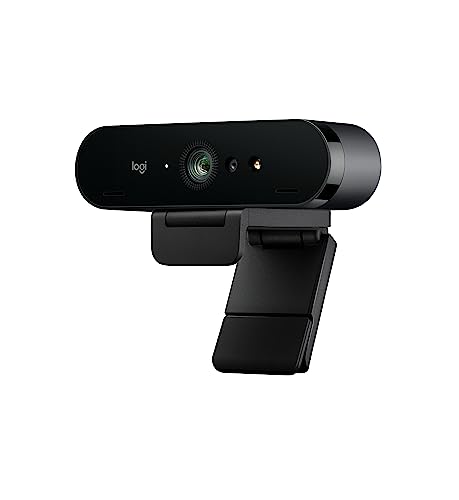
Logitech Brio 4K Ultra HD Webcam
4K/30fps, 1080p/60fps, HDR for back-lit environments, Windows Hello face recognition support, RightLight 3 auto exposure, 90° adjustable FoV, and glass lens. Best webcam for streaming and recording at 4K — also the best webcam for challenging lighting environments with HDR.

Elgato Facecam Pro
4K/60fps, Sony STARVIS2 back-illuminated sensor for extreme low-light, fully manual controls, OLED eyepiece for self-monitoring, and Flash application for advanced image customization. Built for streamers who need maximum control and the best possible image quality.
NexiGo N60 1080P Webcam
1080p/30fps, built-in ring light with adjustable brightness, noise-reducing microphone, plug-and-play USB, and a universal clip. Best budget webcam — built-in ring light compensates for poor room lighting, making it effective without any additional lighting equipment.
Bottom line: Logitech C920x is the best webcam for professional video calls — 1080p, autofocus, low-light correction, and proven reliability at $70. 4K and streaming: Logitech Brio at $150. Streaming with maximum control: Elgato Facecam Pro at $200. Budget with ring light: NexiGo N60 at $35.
Frequently Asked Questions
What is the best webcam in 2026?
Logitech C920x is our top pick for professional video calls — 1080p, autofocus, dual mics, and reliable performance at $70. Best 4K and streaming: Logitech Brio at $150 with HDR. Budget with lighting: NexiGo N60 at $35.
Is 4K worth it for a webcam?
For video calls (Zoom, Teams, Google Meet), no — these platforms cap stream quality well below 4K. For recording videos, YouTube content, or streaming where you control output quality, 4K provides significantly better image with room to crop and still maintain HD quality. The Logitech Brio at $150 is worth 4K for content creators but overkill for call-only use.
Why does my webcam look bad on calls?
The three most common causes: 1) Poor lighting — a window behind you creates a silhouette; move so the window light faces you or add a desk lamp. 2) Wrong resolution/frame rate in software settings — set to 1080p/30fps in Zoom/Teams video settings. 3) Too-wide field of view — you look small and far away; crop in software or use a narrower FoV setting.


